Getting started
Set up your household, add recipes, plan a week and shop from one list.
Written By Michelle Mayes
Last updated 7 days ago
The Meal Plan Vault keeps your household's recipes, weekly meal plan and grocery lists in one place. Everyone in the household sees the same plan, and changes show up for everyone.
1. Sign up
Create an account from the sign-up page. Every new account starts a 7-day Premium trial, and you don't need a card for it. When the trial ends you stay on Free unless you upgrade. See Plans, the Premium trial and billing for what each plan includes.
2. Find your way around
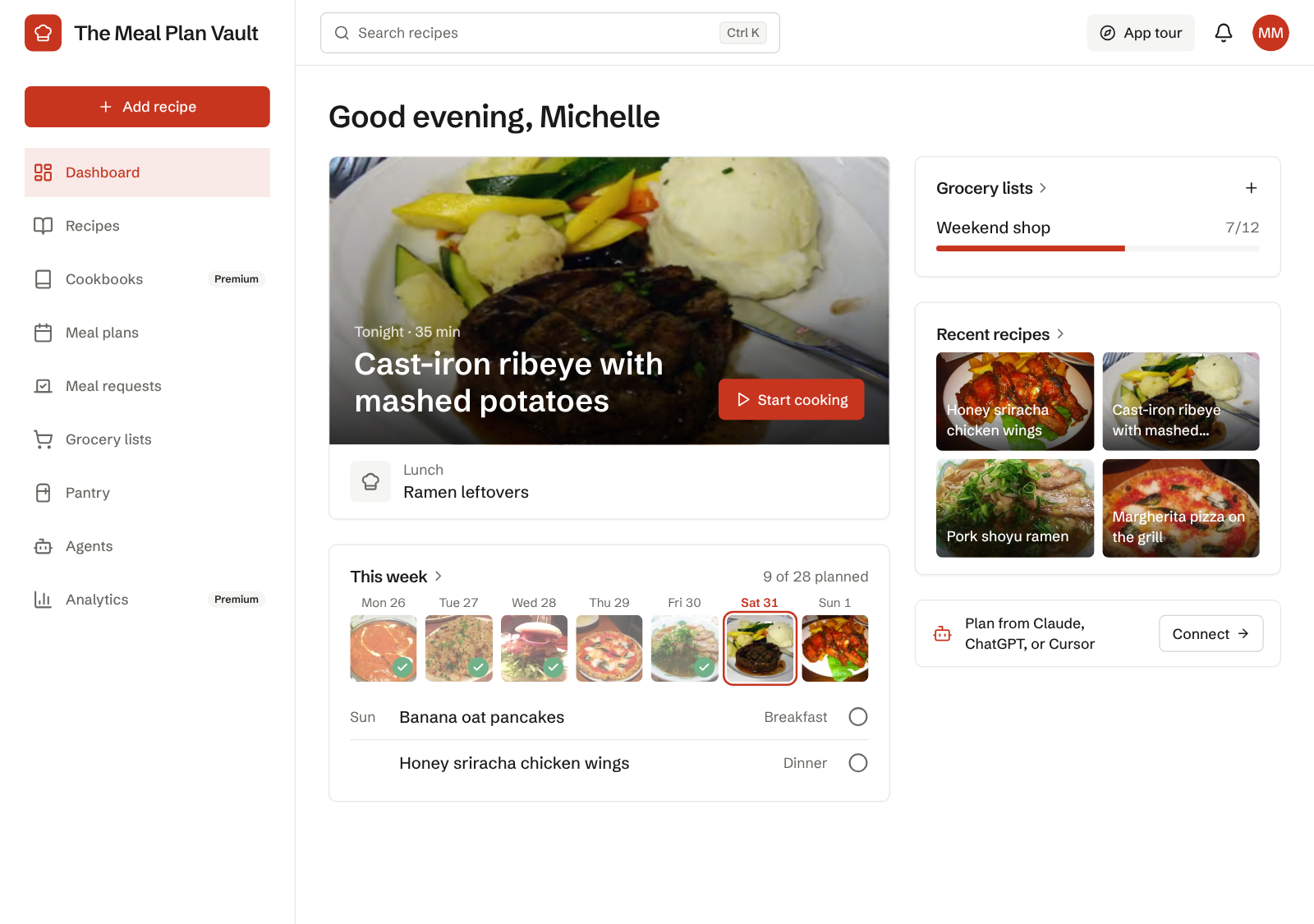
The sidebar on the left has everything: Dashboard, Recipes, Cookbooks, Meal plans, Meal requests, Grocery lists, Pantry, Agents and Analytics. On a phone the bottom bar has Home, Recipes, Plans and Grocery, with a round + button in the middle for adding a recipe.
Press Ctrl K (⌘ K on a Mac) or / anywhere to search your recipes and ingredients. App tour at the top of the page walks you through the layout again. What's new in the account menu shows recent changes.
To keep the app on your phone's home screen, see Install the app on your phone and share recipes to it.
The dashboard opens on the next meal you have to cook, with Start cooking right on its photo. Below it, this week shows one photo per day, with today outlined and cooked days ticked. Your open grocery lists, recent recipes and any meal requests waiting for a vote sit alongside.
3. Add a few recipes
Choose Add recipe and paste a link from any recipe site, or type a recipe in. Ten or so recipes you already cook is enough to plan a week. See Add a recipe.
4. Plan your week
Open Meal plans and select an empty slot to add a meal, or let Generate my week fill the week from your recipes. See Plan your week.

5. Make a grocery list
Select Grocery list on the meal plan page, then pick the week. Ingredients from every planned recipe are added up and sorted by store section. See Grocery lists.
6. Invite your household
Go to Settings > Household and choose Invite member. Each person gets a role: admins manage everything, editors change recipes and plans, and viewers can look but not edit. See Household members and roles.
Start with dinners only. You can turn meal types like snack on or off later in Settings > Household > Meal types.
Was this helpful?
Still need help? Ask the team